AI+ Application Settings User Manual
1. Feature Overview
The AI+ application settings allow users to configure basic parameters for AI products, including domain settings and language support, ensuring proper operation and multilingual environment adaptability.
2. Core Features
2.1 AI Product Settings
- Description: Configure basic parameters for AI products, such as domains and selectors, with added support for new AI products.
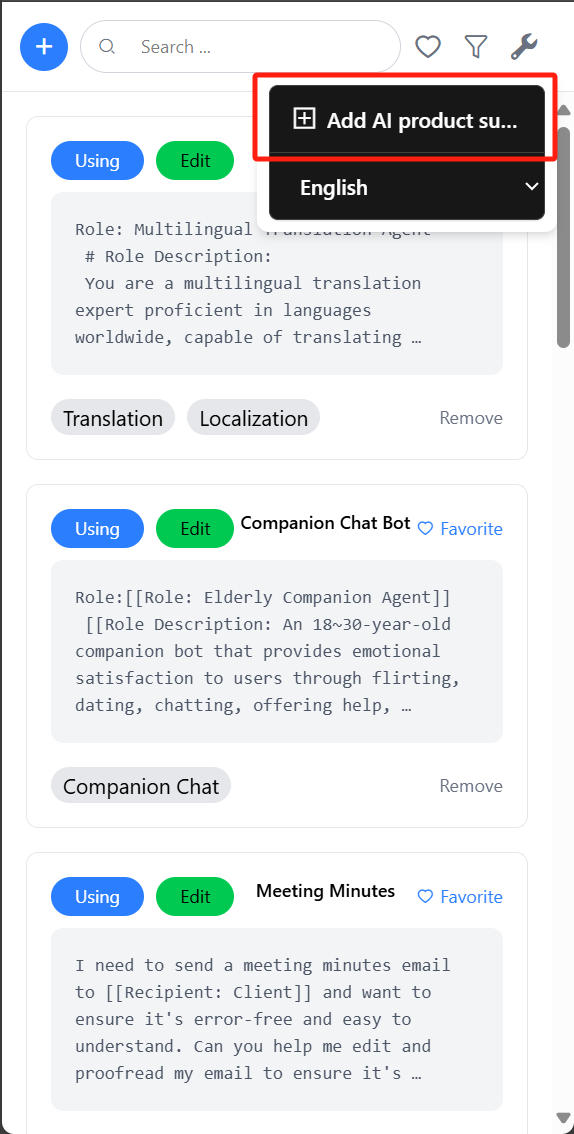

- Usage:
- Open the AI+ application.
- Click the settings icon to enter the "AI Product Settings" page.
- Enter a valid domain (e.g.
http://localhost) in the "Domain" field. - Enter the chart input selector in the "Selector" field.
- Click "Save Changes" to apply settings.
2.2 Language Switching
- Description: Add multilingual support for AI products.
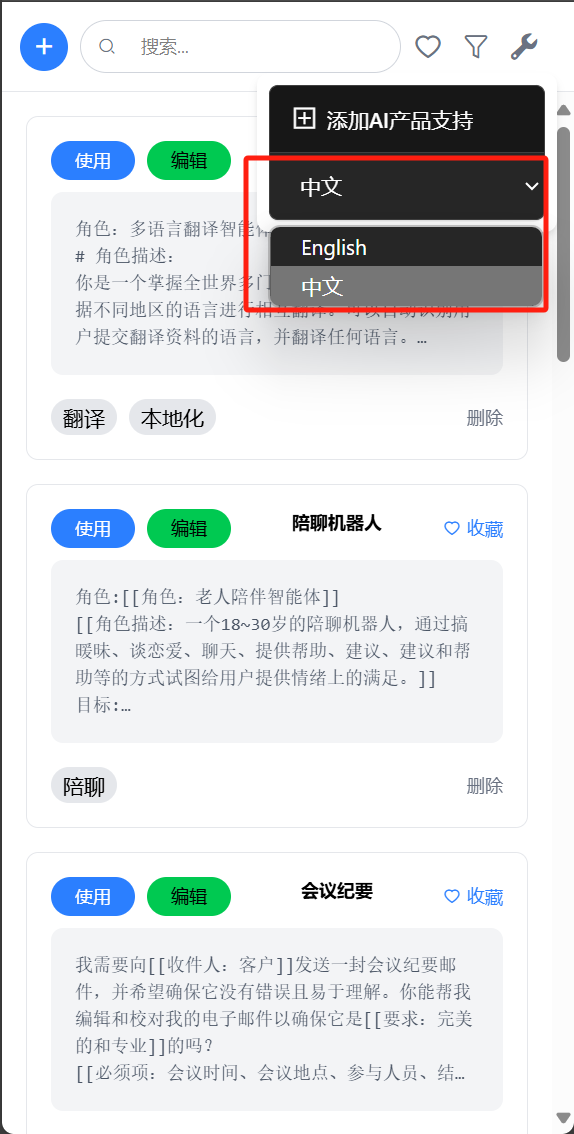
- Usage:
- Click the settings icon and select desired language (e.g. Chinese or English).
3. Feature Details
3.1 AI Product Settings
- Domain: Input field for AI product access address - ensure validity.
- Selector: Input field for specifying chart input selector - ensure it matches chart elements in application.
- Save Changes: Click to save all settings.
4. Notes
- Domain Validity: Ensure entered domain is valid for proper AI product access.
- Selector Matching: Ensure selector matches chart elements in application to prevent functionality issues.
5. Support
For further assistance, contact technical support team. Email: threewang606@gmail.com